To access the POS, you need to log in with your personalised login details, which can be configured in the Flatpay portal. If you are missing a login to the portal, try Forgot password on the login page and enter the same email you used when you became a Flatpay customer. If this doesn't work, reach out to us and we'll help!
Once inside the Flatpay portal, you'll need to add yourself and your staff to the list of employees able to access the POS. Check out our guide on how to add and remove staff.
Log In to Your POS
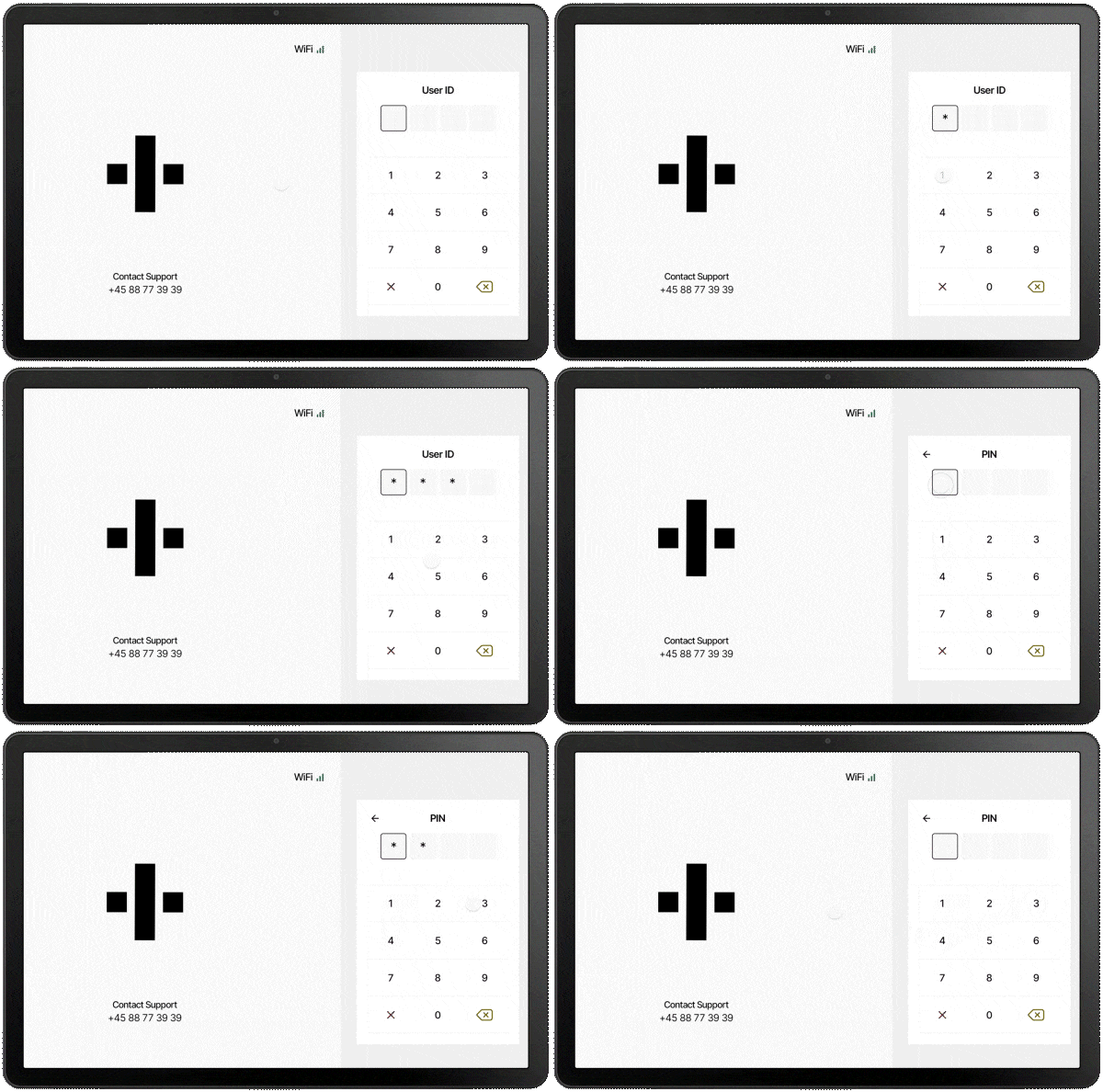
Enter User ID
The User ID contains 4 digits that are unique to each staff member.
Enter PIN Code
It's crucial to keep your credentials secure and never share your PIN with anyone. If you forget your PIN, visit the Flatpay portal and update it under the Staff tab.
Need Further Assistance?
If you encounter any issues logging in or have further questions, please contact our support team at:
+44 2080289990 or info@flatpay.co.uk. We are available 24/7.
Was this article helpful?
That’s Great!
Thank you for your feedback
Sorry! We couldn't be helpful
Thank you for your feedback
Feedback sent
We appreciate your effort and will try to fix the article